






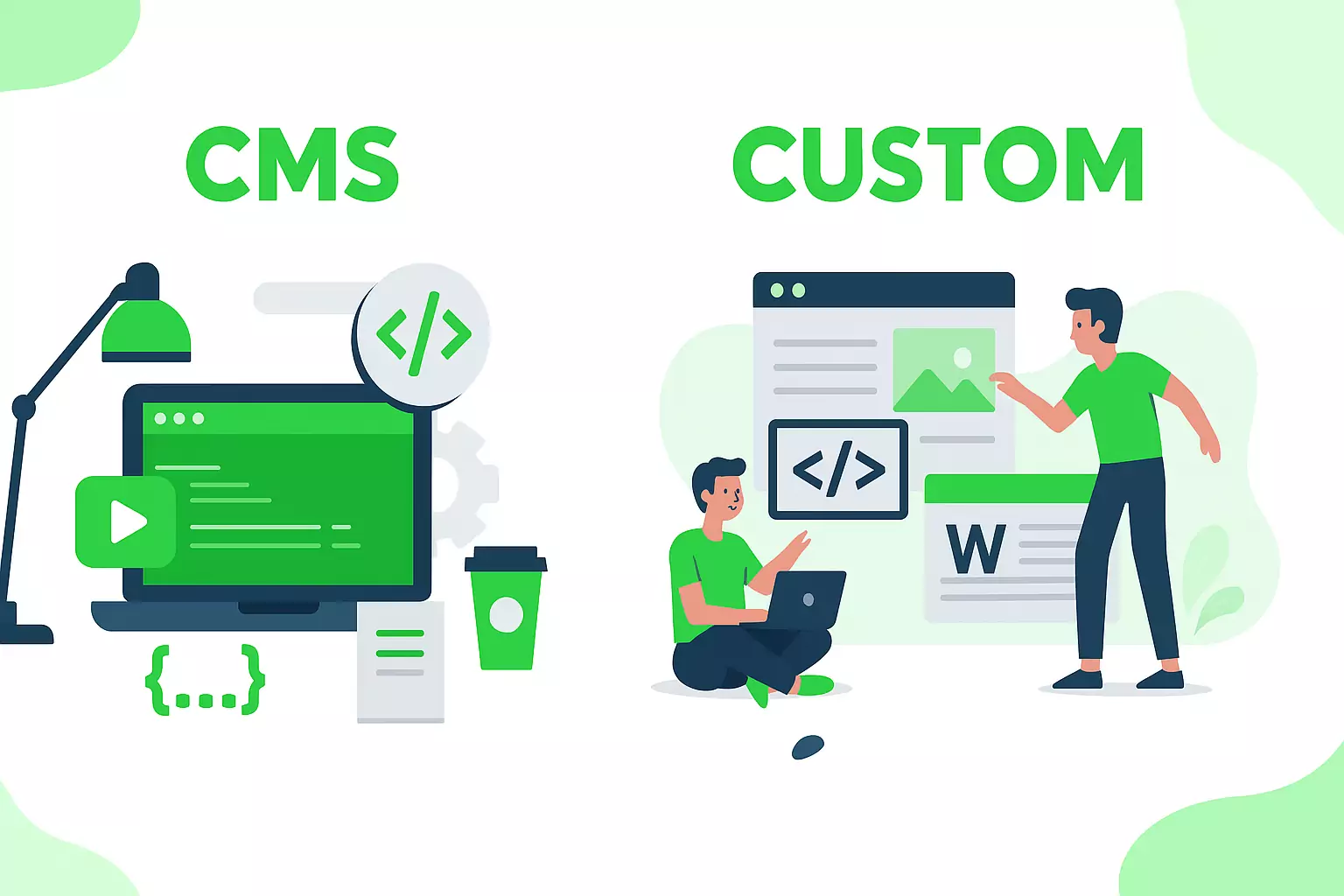
CMS vs Custom: The numbers speak — and logic agrees
In an era where the web is flooded with ready-made “packages”, builders, and templates, the comparison between CMS platforms (WordPress, Shopify, Wix) and custom system development is no longer just about budget — it is about performance, security, SEO, scalability, and ultimately the very survival of a digital project.
In this article, we examine in depth why custom development remains the only serious option for professional and technologically demanding projects, and why CMS solutions may be convenient, but come with significant structural drawbacks and hidden costs.
![settings]() Custom Development – The professional’s tool
Custom Development – The professional’s tool
 Custom Development – The professional’s tool
1. Full control over structure, code, and database

With custom development, every line of code exists for a specific reason. The database is built with absolute focus:
- A minimized number of database queries, because only the tables and relations you truly need are created.
- No unnecessary fields and relationships, since you do not “carry” prebuilt fields you will never use.
- Ease of identifying and fixing issues, as the code is clean and understandable—clear logic in every function.
- Ability to expand in the future, without having to tear down the entire project. In other words, you can add functionality or change something without breaking the rest of the system.
2. Top-tier performance, speed & SEO
The site loads only the resources that are truly needed. For example:
- A typical WordPress site with a ThemeForest theme can reach or exceed 200 MB in PHP, CSS, JavaScript files and libraries, even before images and fonts are added.
- In contrast, custom has a dramatically smaller footprint. For example, booleans.gr, which includes:
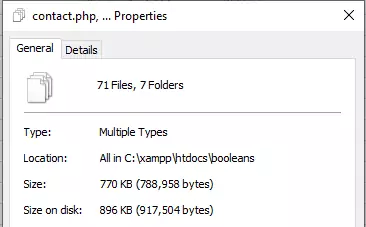
- 770 KB of pure code “weight” (PHP, CSS, HTML, JS),
- Libraries, high-quality images (SVG, WebP), and multiple fonts,
- Features such as user registration/login, a “Forgot my password” form with automatic email sending, a contact form, a user panel,
- Free tools (online catalog with QR code generation, URL shortener, QR code creator, virtual business card),
reaches a total of approximately 64 MB (including all assets). Despite the richness of features and high-resolution images, the pure code “weight” remains only 770 KB. This has a direct impact on SEO, because: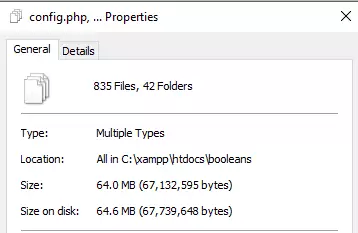
- Page speed (Core Web Vitals): Very low LCP (Largest Contentful Paint) and minimal CLS (Cumulative Layout Shift), factors that now directly affect Google rankings.
- Improved FID (First Input Delay): Low JavaScript execution times, because only strictly necessary scripts are loaded.
- Reduced Server Response Time (TTFB – Time to First Byte): Minimal delay from the server, since there are no unnecessary layers of code or modules that “consume” time.
SEO & Lazy Loading
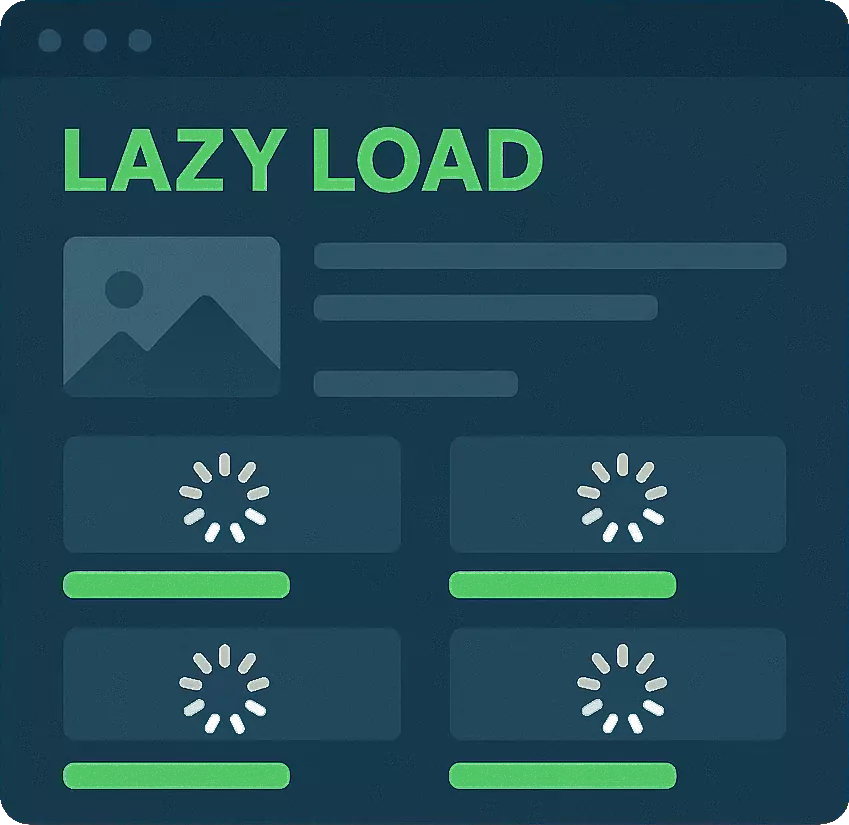
With custom code, you have full control over when and how images, scripts, and content are loaded:
- Lazy loading with the Intersection Observer API: You can write simple JavaScript so images load only when they enter the user’s viewport. This avoids unnecessary HTTP requests and reduces initial load time.
- Lazy loading via AJAX after the DOM loads: Once the core DOM of the page loads, you use AJAX calls to dynamically fetch:
- High-resolution images (e.g. JPEG, WebP)
- Scripts not needed immediately (e.g. sliders, charts)
- Page sections that are further down the scroll
- Optimization of critical styles (critical CSS) and defer/async for JS: You write only the CSS required for the first visible (“above-the-fold”) section, while everything else loads “on demand”, saving valuable seconds.
- Complete absence of subscriptions/plugins for lazy loading: You do not pay annual subscriptions for premium lazy loading add-ons (usually €30–€80 per year) and you do not rely on third-party libraries that inflate the overall package.
The result is a page that loads almost instantly, even on slow connections, giving a significant competitive advantage in SEO rankings.
3. Complete security
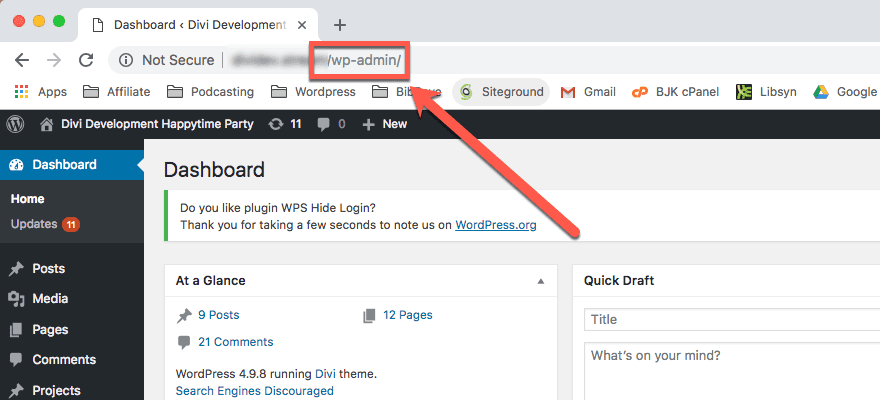
Security is fully under your control:
- There is no “admin path” that bots or hackers can easily detect.
- There are no known “holes” (hooks, XML-RPC endpoints, wp-login URLs, or plugins with public vulnerabilities).
- You can implement your own encryption, firewall integration, strict access rules, and attack detection systems (brute-force filters), all tailored exactly to your needs.
4. Integration without limits
You can implement anything you need:
- Real-time API connectivity (REST, SOAP, GraphQL) for communication with third-party services.
- XML feeds from warehouses, marketplaces, or price lists, so you can sync pricing and stock.
- CRM and ERP integration and even integration with cash registers or POS systems in physical stores or warehouses.
5. Pay once, without dependencies
- You pay once for development.
- If you do not need changes or additions, no additional support is required.
- Your platform belongs fully – you do not depend on third parties, licenses, or active subscriptions.
![trap]() CMS – The easy choice, full of traps
CMS – The easy choice, full of traps
 CMS – The easy choice, full of traps
1. Conditional security
All popular CMS platforms share characteristics that turn them into easy targets for attacks:
- Standardized database structure that is instantly recognizable.
- Plugins built by various vendors and often targeted by hackers.
- Themes widely used, with known weak points.
- A single outdated plugin (outdated) is enough to bring down an entire site.
2. Ongoing need for updates and support
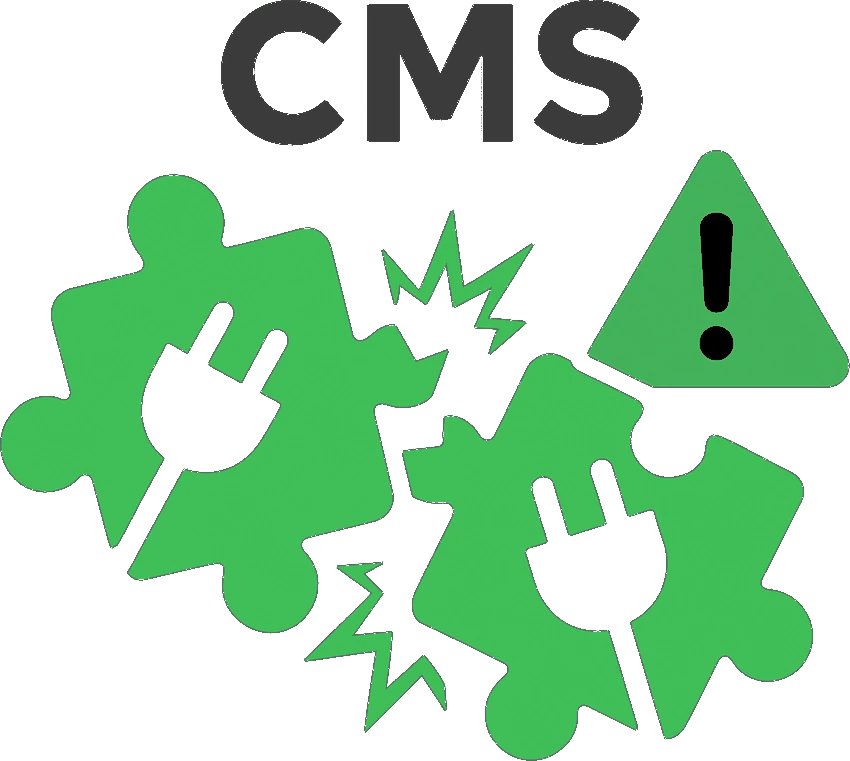
Plugins receive updates at different times, causing conflicts. What does this mean in practice?
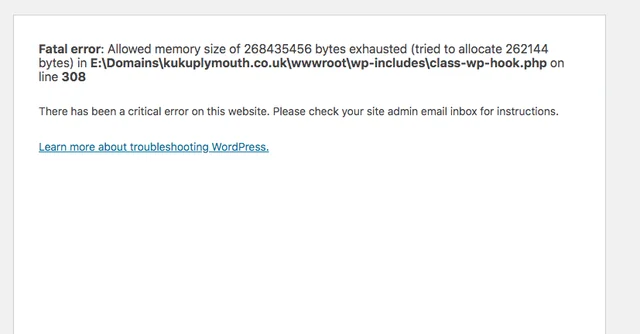
- Local issues: A conflict may break only a specific part of the site, causing that section not to function properly (e.g. the contact form or the slider).
- Entire site crash: In more serious cases, a conflict can bring down the entire website, showing errors or a blank page.
- Security at risk: Sometimes a bad update or a poorly handled conflict can leave an open “door” for hackers, allowing access to sensitive data or the installation of malware.
3. “Weight” and delay from minute one
- A WordPress site with a premium ThemeForest theme often exceeds 200 MB just in core, theme, and basic plugin files.
- Each additional plugin brings CSS, JavaScript, and libraries that are often not fully used.
- Page builders (e.g. Elementor, WPBakery) create multiple nested HTML elements, inflating the DOM and slowing performance.
- The result is that a “ready-made” WordPress site is, from the start, heavy and requires continuous optimization to reach acceptable speed levels — even if you invest in caching plugins, image optimization, or a CDN.
Lazy Loading in CMS vs. Custom Code
- On a simple WordPress site, to implement lazy loading (i.e., loading images and content only when needed) you must install a plugin (e.g. “Lazy Load by WP Rocket”, “Smush Pro”, “a3 Lazy Load”, etc.). This has the following disadvantages:
- It increases the total size of the site (adding extra JavaScript and CSS files).
- It requires continuous updates and annual subscriptions.
- It often does not produce the correct result, because there may be conflicts with content, the theme, or other plugins—so it may not load at all or may load incorrect images. In some cases it even blocks entire libraries, breaking the site—primarily CSS—causing the UI to collapse.
- They have limitations: You cannot lazy-load exactly anything you want (e.g. complex objects, sections with dynamic content, or special graphics), because you are limited to the hooks each plugin allows.
- In the custom solution, the developer writes code precisely to cover your needs:
- You reduce the number of HTTP requests, loading only the necessary assets at the moment the user needs them.
- You fully control which images, text blocks, objects, or files load, when they load, and in what form (responsive srcset, fallback formats, placeholders).
- You do not pay additional subscriptions nor buy premium add-ons.
- You can apply lazy loading exactly where you want: not only images, but also text sections, chart blocks, custom objects, and anything else you can imagine.
Additional overhead from images and storage
In CMS platforms such as WordPress, every image uploaded to the system automatically generates multiple versions — usually three: thumbnail, medium and original. This results in tripling the storage volume per original image, even if only one of the generated versions is ultimately used.
This practice can have significant impacts on both performance and the overall “weight” of the site. Especially in e-commerce websites with a large number of products and high-quality images, the problem escalates. A WordPress site with 1,000 products, each with multiple variations and corresponding images, can very easily exceed 20–30 GB of storage — a limit commonly found in basic hosting packages costing more than €300 per year. In practice, such a site is very likely to require an upgrade to packages above €600 per year, just to cover storage and processing needs.
It is worth noting that most hosting companies price their packages based on four core resources: CPU, RAM, Bandwidth and storage. As a CMS adds “invisible” weight through files the user does not directly manage, the total file volume steadily increases with every new content addition — something that is fully controllable in a custom solution and can be shaped with optimization in mind.
![cost]() Why CMS platforms cost more than you think
Why CMS platforms cost more than you think
 Why CMS platforms cost more than you think
They tell you you start at €600, but you end up at €6,000
Many choose a CMS believing they will “close” a professional site for a few hundred euros. However, in Greece:
1. Initial cost
1200€ – 1500€ for installing a basic WordPress theme and some customization, adapted to corporate identity.
2. Premium plugins
Cost €40 – €150 each per year. In this category there are also more specialized tools, such as UserWay, which are required for accessibility (AMEA) configuration or for subsidized ESPA programs. The UserWay costs approximately 500 – 1500$ per year (or more), billed based on views—meaning it monitors your site and has access to its content.
You will need at least 5 – 10 such plugins for functions such as:
- Multilingual support
- SEO
- Automatic backups
- Security
- Contact forms
- E-commerce
- Memberships
- etc.
At the same time, many of these plugins try to “lock you in” more and more:
- They show ads inside your admin panel, pushing you to upgrade to more expensive versions. And yet, you pay for a site and still have ads in your panel.
- Newsletter plugins (mailchimp) or form plugins often store visitor data directly in their own databases, so they can “hold” your leads and bind you to subscriptions. Instead of keeping entries organized inside your own site, if you refuse to commit to a subscription, the only option is to receive them raw via email—e.g. you get a new newsletter signup and the message arrives unprocessed, so you manually enter it into an Excel file.
- In addition, in most WordPress plugins and generally across the CMS ecosystem, there is an explicit rule that prohibits any external code loading. This means that, due to limitations, companies often distribute “premium” versions of their plugins outside official marketplaces (from their own websites). This allows them to embed whatever they want into the code without easy oversight: for example, the plugin may contain code that dynamically loads from the company’s external server, which then collects your customers’ data for advertising or other purposes. At the same time, it is not uncommon for the same mechanism to block site functions (e.g. caching) until you purchase an “upgraded” subscription. Since the code loads externally via a webhook or similar mechanism, it is practically impossible to detect easily—the request appears legitimate on your server and executes without being blocked.
3. Support
- The cheapest package starts at €150 per year, covering only the absolute basics (updates, simple monitoring). Usually the site remains problematic.
- From there, support packages start at €150 per month and include more extensive security, speed, backups, and bug-fixing. However, as plugins receive continuous updates, site configuration constantly changes, and over time everything ends up tangled and inconsistent.
- All these costs increase proportionally with the size and complexity of the site. For example, an e-shop with additional features (payments, stock, advanced product filters) significantly raises total annual expenses.
4. Conflicts
Every time a plugin is updated, it may “break” another plugin’s functionality. To identify and fix the issue, a developer is required—an expense mentioned above. Often, chain reactions occur after each update.
5. Changes and redesigns
If you want changes in layout or functionality, themes and page builders create “patchwork”. A feature may stop working, and an entire section may need to be rebuilt.
6. Maintenance
Continuous updates, backups, database cleanups, performance optimization, malware scanning — all of these are billed as additional costs depending on the site’s needs.
Total:
From 1200€ you start, but you end up having paid more than 6000€ within 12–18 months for something that still… is not fully stable.
Compared to custom
- A custom development project can start at approximately 3000€ – 6000€, but for complex or large systems the cost can increase further.
- However, it works exactly as it should, without annual plugin subscriptions, without repeated redesigns, and without endless, expensive support.
- When you want additions or improvements, you simply extend the existing base, rather than “breaking” a complex ecosystem of themes & plugins.
![limits]() CMS limitations in a custom logic
CMS limitations in a custom logic
 CMS limitations in a custom logic
- You want a special form that behaves in a specific way? The plugin does not cover it — you need to build your own.
- You want integration with ERP/CRM or to build your own custom XML and there is no available integration? You must develop a custom plugin.
- You want a special dashboard with your own statistics and metrics? The page builder does not allow it — you must find a solution with shortcodes and custom post types.
The result:
- The developer must overcome the CMS logic, plugins, and theme limitations.
- Each new feature requires three times more work for a final result that is often mediocre.
- Scalability is artificially limited — the more your needs grow, the more the technological ceiling appears.
![trap]() In conclusion
In conclusion
 In conclusion
If your goal is a serious, secure, lightweight, and technologically robust environment that will serve your operation for many years, the solution is custom development.
CMS platforms may look cheap and ready-made, but they quickly become inefficient, unstable, and restrictive. The initial “savings” are paid for dearly over time, through conflicts and redesigns.
Custom means:
- A serious, well-designed foundation.
- Precise architecture, built from the ground up for your needs.
- Complete freedom to implement whatever you imagine.
- Optimal performance and speed.
- And, often, lower long-term cost.
If you need technical code examples for AJAX-based lazy loading, SEO optimization, or any other clarification, let me know and I will develop it in detail.
